Epics
In Deep Planner, epics represent features or technical enablers.
The usual timeline for executing an epic can be days or weeks, rarely months.
The minimal structure of an epic contains the following:
- Description: details containing business (for features) or technical (for enablers) requirements of epics.
- User stories: short one-sentence scenarios representing outcomes from point of view of a user.
- High-level estimates: work items and their level of effort required to implement an epic.
- Dependencies: dependencies to other epics
To edit an epic, click “Epics->Search” in the top horizontal menu and find an epic to edit. Select an epic and click “Edit.”
To create a new epic, click “Epics->Create new” in the top horizontal menu.
High-Level Estimates
High-level estimates represent technical work items and their level of effort needed to complete an epic.
Roadmap builder uses high-level estimates to understand the capacity and time needed to execute an epic.
To configure high-level estimates, open the target epic, click ‘Edit’, then select ‘Technical Work’ in the left sidebar.
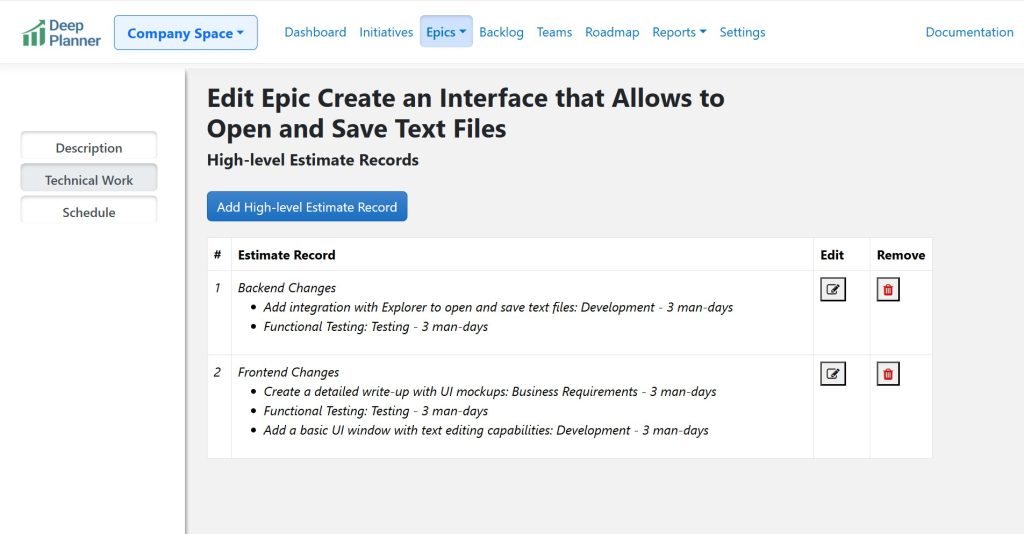
Create work items and define line items as follows:
- Name: represents nature of work (usually in a single phrase or sentence)
- Type of activity (i.e. development, testing, business analysis, etc.)
- Level of effort: in story points or man-days . You can configure unit of measurement in Settings
- (optional) Required domain area or specialization
To learn more about high-level estimation techniques visit the blog article How to Create a Good Estimate for a Feature .
Dependencies
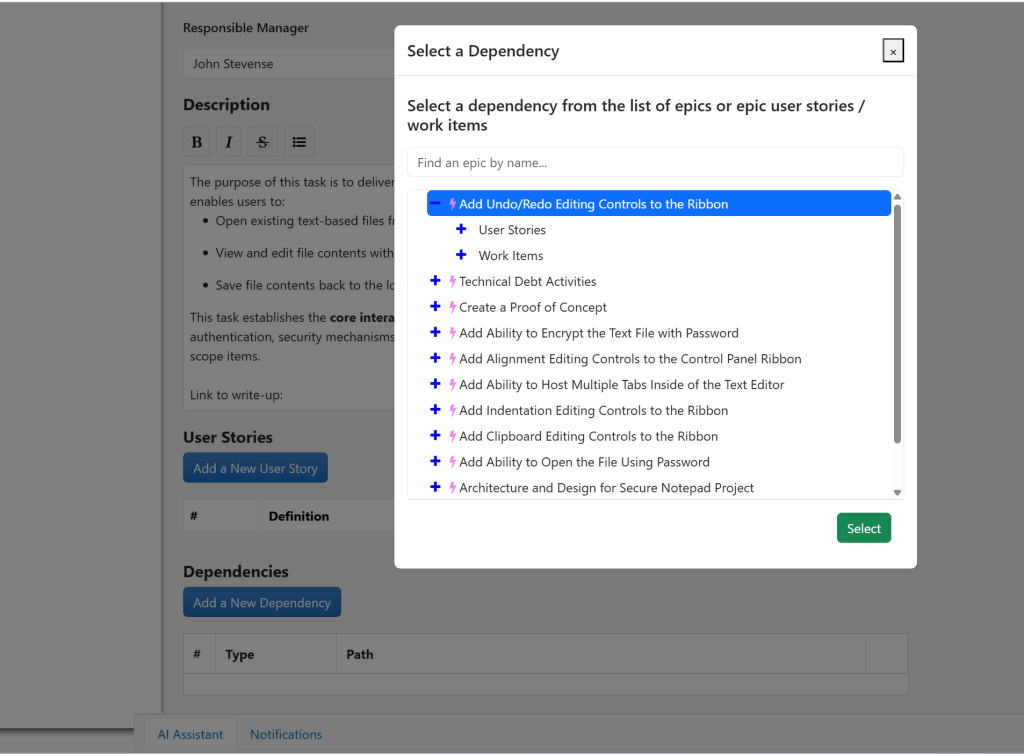
Dependencies are epics (or the related user stories or work items) that are blocking the current epic.
Roadmap builder is using dependencies as a constraint when building schedules. No epic can be scheduled before its dependency is executed.
To define dependencies, open the target epic, click ‘Edit,’ then find and configure the dependencies section.
User Stories
User stories are scenarios that define the desired epic behavior from perspective of the end user.
User stories can be attached to specific work items in the high-level estimates.
They can be required or optional. When a user story is marked as ‘optional’ it can be excluded from schedule by choosing the ‘Exclude Nice To Have User Stories’ checkbox in the epic sidebar settings of Roadmap Builder. To learn more about this feature refer to the article ‘Working with a Roadmap Builder’ .
To create or configure user stories, open the target epic and click ‘Edit,’ then find and configure the user stories section.
Scheduling an Epic
To schedule an epic, use a roadmap builder. To learn more, refer to the article Working with a Roadmap Builder .
0 Comments