Creating an Adaptive Roadmap: Step by Step Guide
Adaptive roadmap represents a forecast for delivery of features.
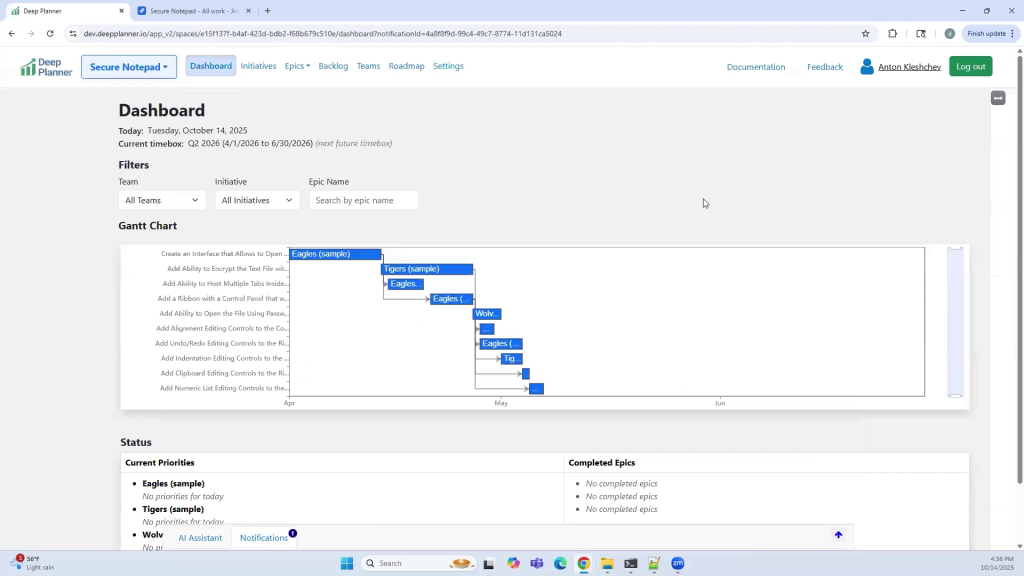
Use the following steps to create a roadmap:
Before start, create an account and space in Deep Planner.
1. Create or Import Epics
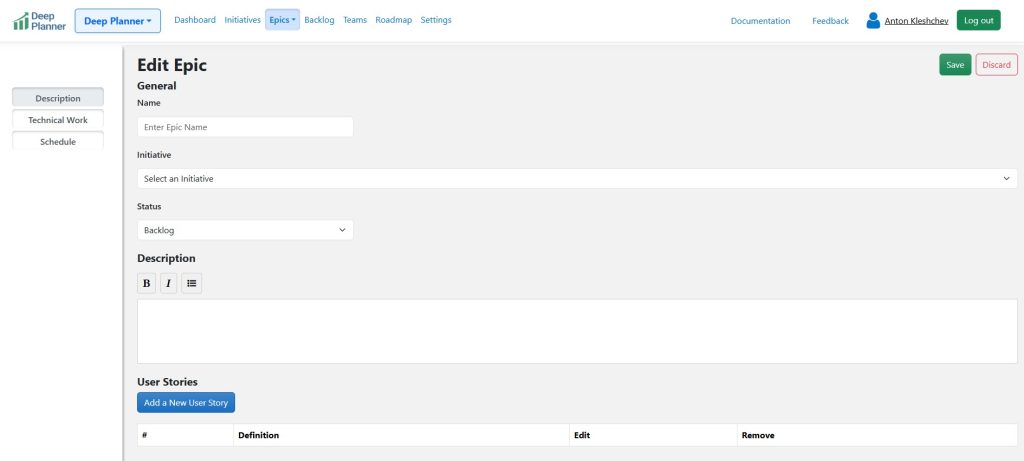
Epics define the features that need to be implemented.
To add a new epic, click “Create new” in the Epics menu.
For every epic, specify a name, description, and high-level estimate. It represents the technical work that must be completed to fulfill epic requirements.
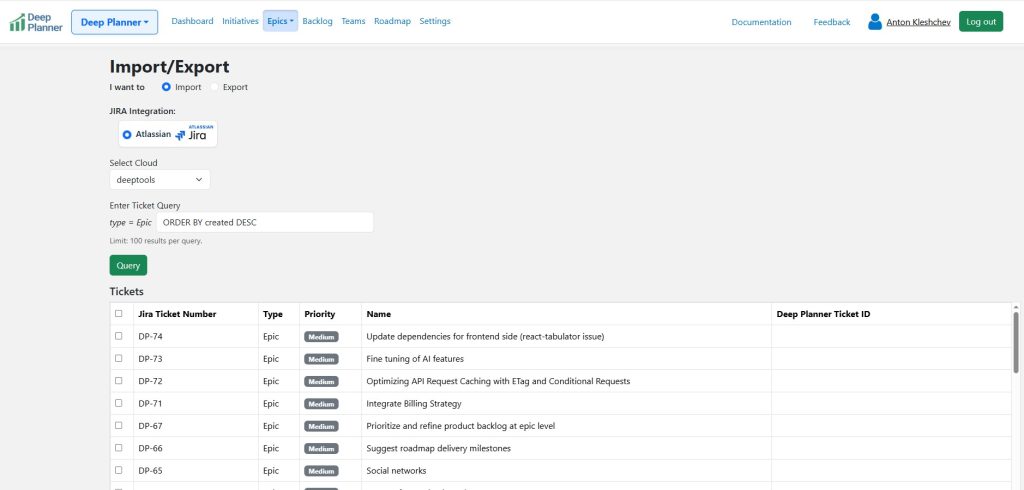
To import epics from JIRA, click “Import/Export” in the Epics menu and follow the prompts.
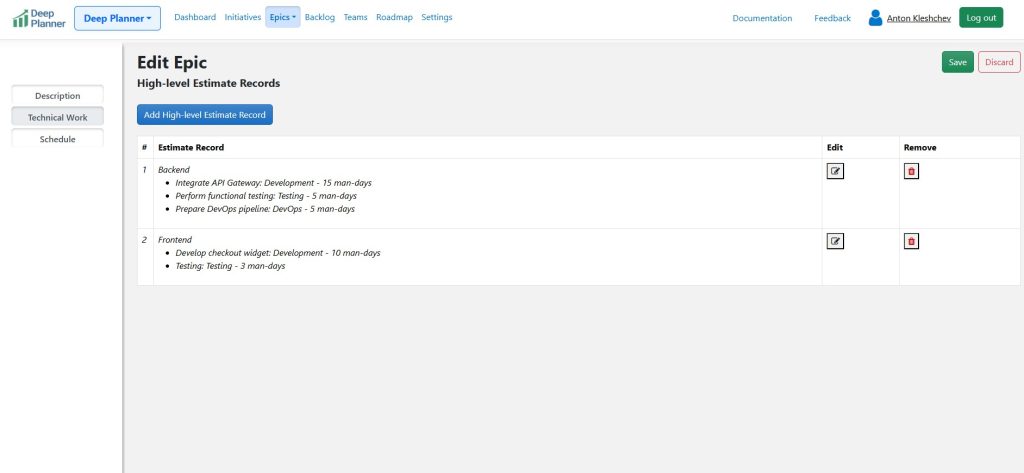
2. Define Epics Estimates and Dependencies
For required work list all items, their types and estimates in the “Technical Work” section of epics.
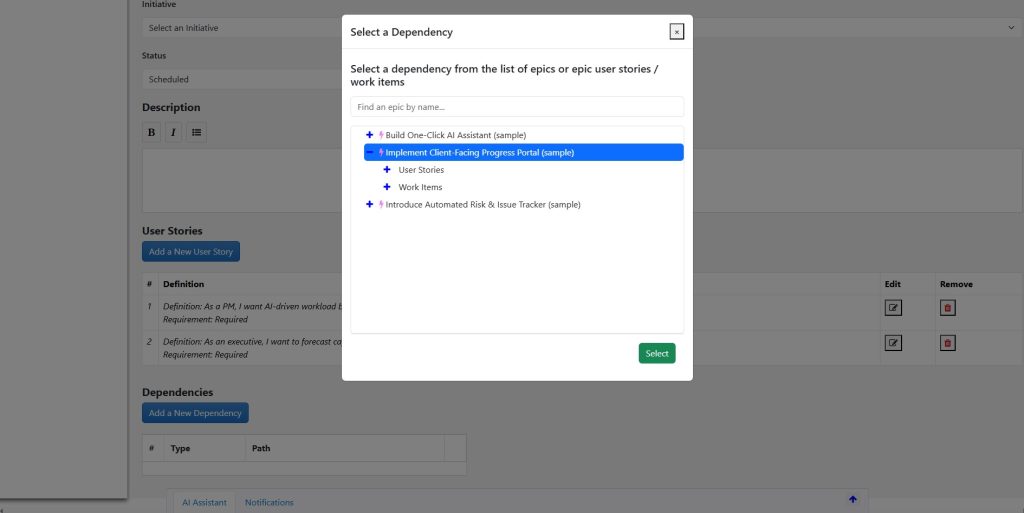
To define dependencies, use the “Dependencies” section in the epic Description tab.
3. Define Teams
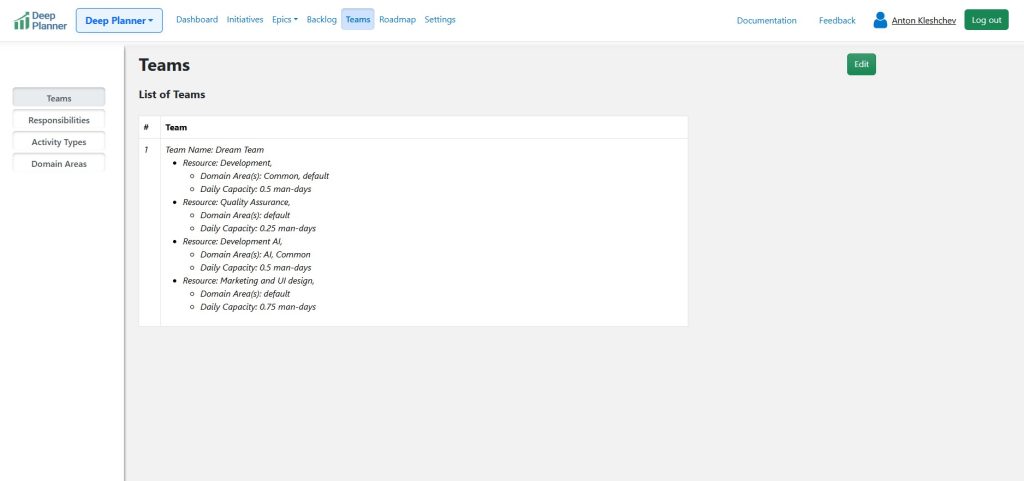
Defining teams right is one of the most important actions in automated planning. To achieve this, go to the “Teams” page and click “Edit.” Click “Add a new Team.” Specify name and click “Add a new Resource.” Add resources that will correspond to team members, their responsibilities, and their daily capacities. Think of responsibilities as team roles. For recommendations on that topic, refer to the article “How to Define Teams.”
4. Add a Timebox
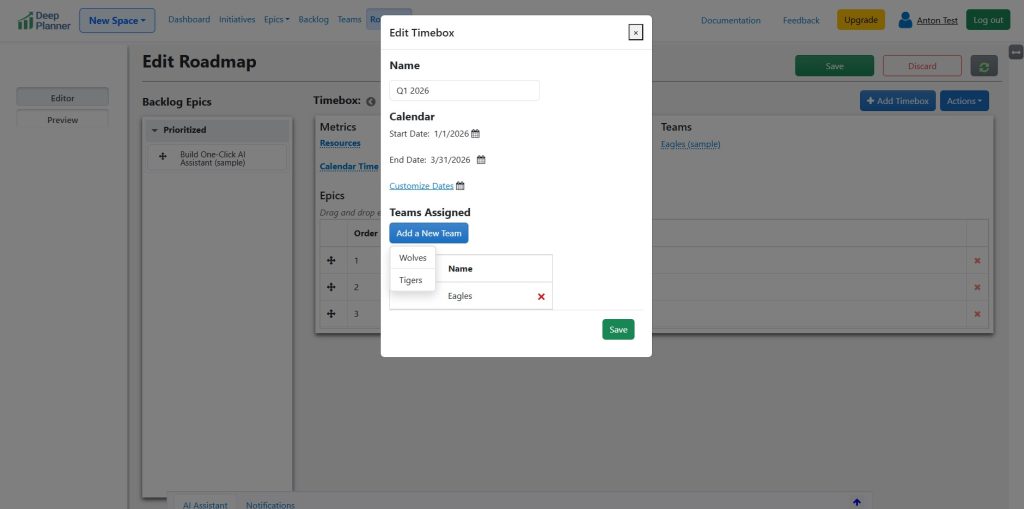
To add a timebox, navigate to the Roadmap page and click “Edit.” Click “Add Timebox.” Enter start and end dates and the teams that will be available. Click “Save.”
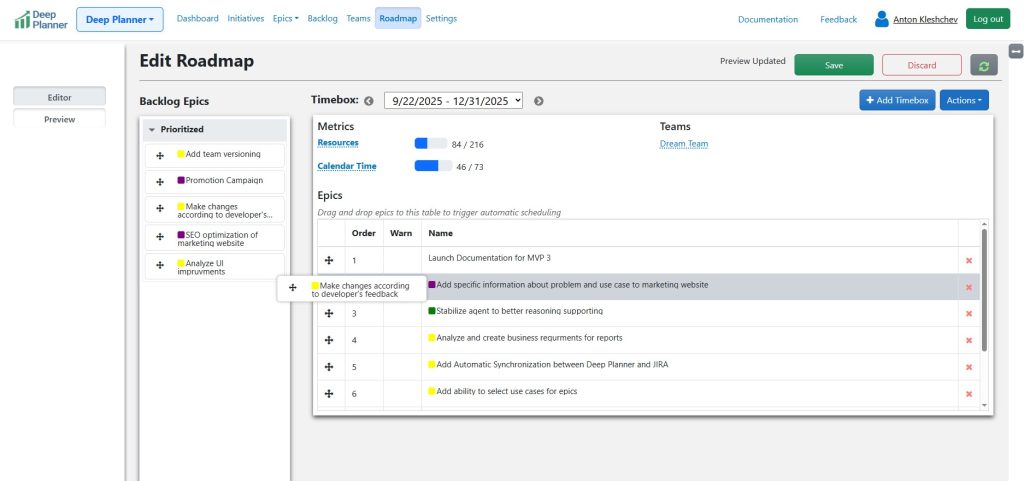
Drag and drop epics to the roadmap by the desired execution priority
Drag and drop epics from the “Backlog Epics” column to the “Epics” table inside of the timebox.
5. Preview the Changes
Click the “Preview” button. Oversee the generated schedule on a Gantt chart.
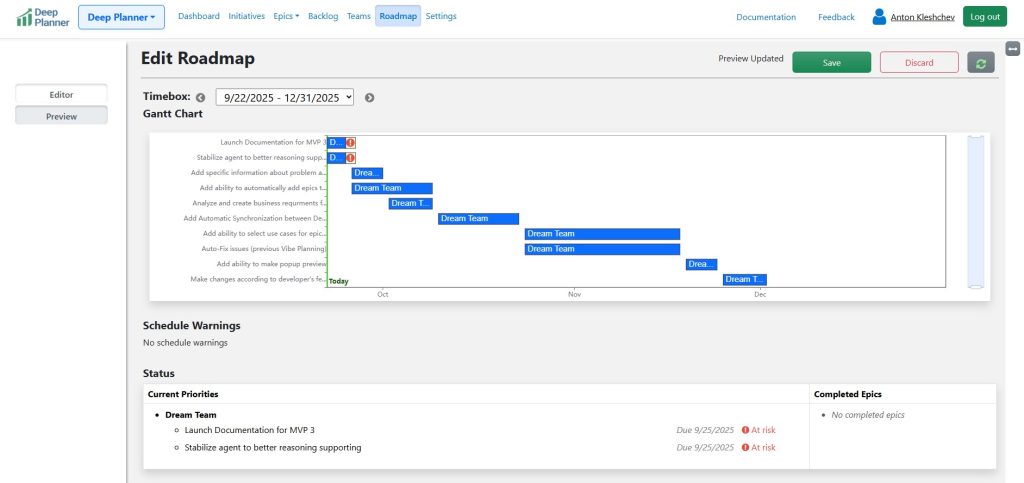
6. Publish
Click “Save.” Confirm the recap before publishing.
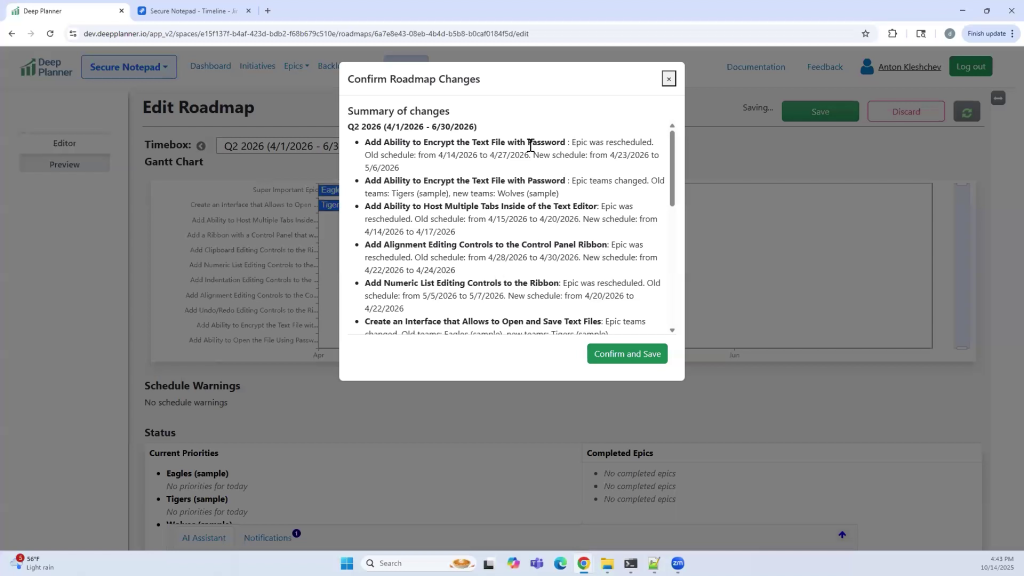
Click “Confirm and Save.” Adaptive roadmap is live and will now appear on the Dashboard and Roadmap pages.
Note: To handle warnings, refer to the page “Schedule Warnings” for guidance on solving the issues.
Learn More
To learn more about the process such as fine tuning a roadmap, epic rescheduling and other nuances refer to the article Working with a Roadmap Builder.